Free Excel Template
Free Construction Handover Register Template (Excel)
A ready-to-use handover register built around the 21 sections that Australian builders work to. Use it to track every document, certificate, warranty and as-built a client needs before Practical Completion. Free to download, no email required.
Who it is for
Project managers, site engineers, contract administrators and handover coordinators on commercial and residential construction projects. If you are the person chasing subcontractors for certificates, manuals and warranties before handover, this register keeps it all in one place.
What is inside
The workbook has two sheets: the register itself and an instructions sheet that explains each column and every section.
Columns on the register sheet
- Item. A reference number for the deliverable, e.g. 5.2.
- Description. What the deliverable is, e.g. as-built drawings for mechanical services.
- Responsible Company. The subcontractor, consultant or supplier who owes the item.
- Required By. The date the item is due, usually tied to a milestone or Practical Completion.
- Status. Where the item is up to: Outstanding, Received, Under Review, Verified, Rejected.
- Date Received. The date the document actually arrived.
- Verified By. Who checked the item against the specification and accepted it.
- Notes. Any comment: revision number, transmittal reference, or a rejection reason.
The 21 handover sections
Deliverables are grouped under these sections, pre-labelled in the template:
- 1.General
- 2.Consultant Compliances & Statements
- 3.Certificates & Compliances
- 4.Operation & Maintenance Manuals
- 5.As-Builts
- 6.Warranties
- 7.Commissioning
- 8.Witness Testing
- 9.Technical Training
- 10.Defects Inspections Undertaken
- 11.Inspection Reports & Records
- 12.Authorities - Agreements & Offers
- 13.Maintenance
- 14.Registers
- 15.Master Schedules
- 16.Spares
- 17.Regulation 187 FRV Submission
- 18.OP Checklist
- 19.Building Permit Conditions
- 20.QA & ITPs
- 21.Practical Completion
How to use it
- 1.Download the file and open it in Excel, Google Sheets or Numbers.
- 2.Under each of the 21 sections, add one row per deliverable and fill in the description and responsible company.
- 3.Set a Required By date against your programme milestones.
- 4.Update the Status, Date Received and Verified By columns as items come in and get checked against the specification.
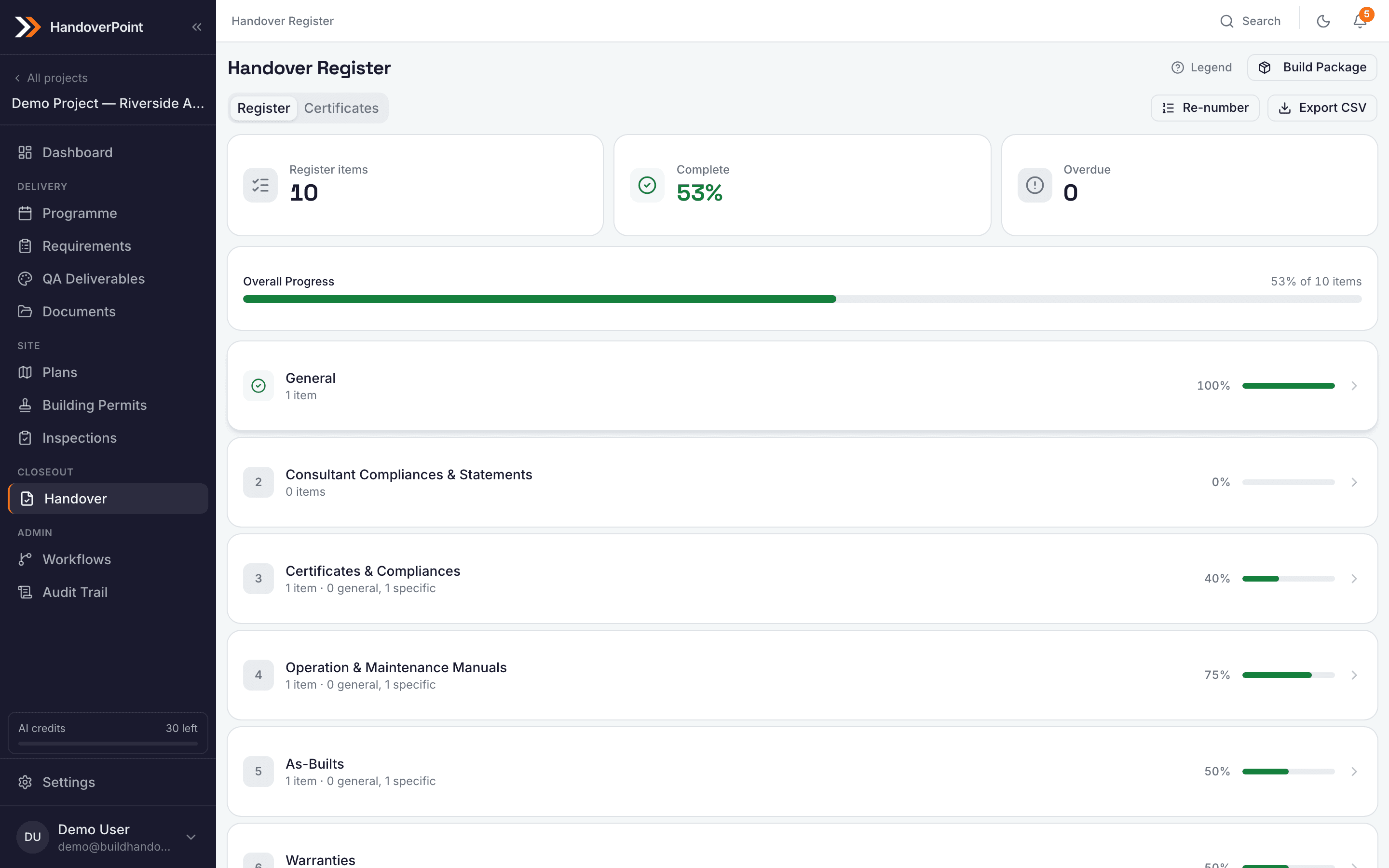
HandoverPoint builds this register automatically from your spec
A spreadsheet is a fine start, but it does not chase people or keep an audit trail. HandoverPoint creates the same 21-section register for every project, reads your specification to populate deliverables, tracks status across your team, and logs every change. You stop maintaining the register by hand and start managing the handover.
No credit card required. One trial per user.